



15 in 1 USB C HUB Docking Staion Multi-port Type C Thunderbolt wtih USB 3.0 HDMI PD 100W RJ45 SD/TF Audio 3.5 for Macbook Laptop
Original price was: $177.99.$78.99Current price is: $78.99.
Fast FREE Shipping On All Orders!
- Satisfaction Guaranteed
- No Hassle Refunds
- Secure Payments
Precautions for use
·Must connect the PD power supply first before use,
and then use a USB-C to USB-C cable to connect the laptop to the HUB.
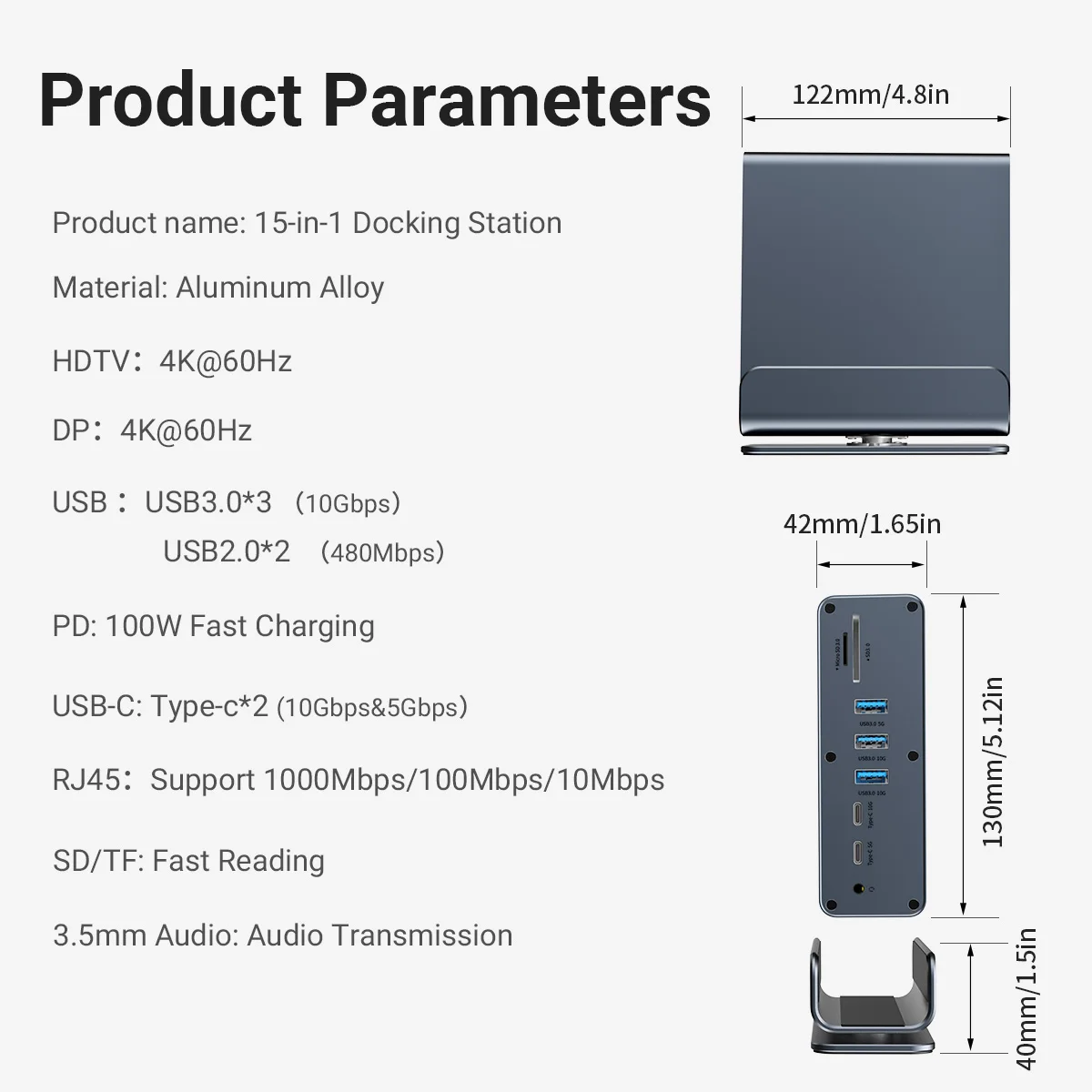
This universal dock, with a high-quality chip, offers 15 ports
(HDMI2.0×2, DP1.4, USB3.0×3, PD3.0, USB2.0×2, USB-C3.0×2, SD/TF3.0, RJ45 1000M, 3.5mm Audio)
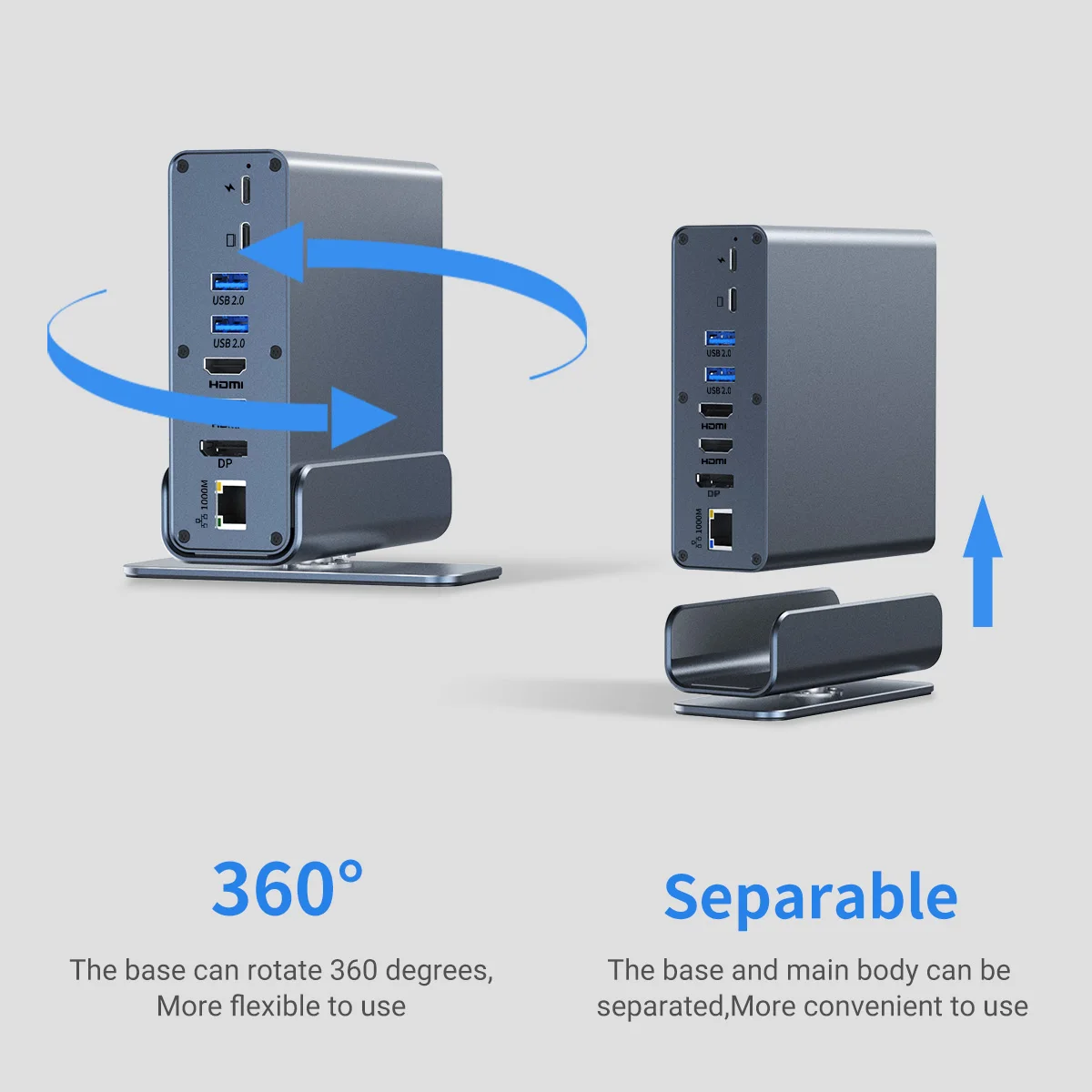
with over-current/voltage/heat protection. Works flat or vertical, connecting all devices to your laptop easily.
·Screen-projection laptop requires standard USB-C 3.1 or higher.
·Do not use USB-C to USB-A adapters to connect this device to the laptop.
·Single HDMIDP output supports up to 4K60Hz using 2-3 ports may reduce resolution.
·Connect laptop’s power adapter to USB-C PD port when using high-consumption devices.
·USB ports low output, not recommended for charging PD port charging only, no data transmission.


| Weight | 18 lbs |
|---|---|
| Dimensions | 6 in |
| Brand Name | other |
| Funtion | HDMI-Compatible/RJ45 |
| Ports | 15 |
| High-concerned chemical | None |
| Origin | Mainland China |
| Interface Type | USB Type-C |
| Package | Yes |
| Length | 25cm |
| Model Number | 101150012 |
| Standard | USB 3.1 |
| Certification | RoHS |
| Plug Type | None |
| Compatible PC Devices | Laptop |
| Compatible Systems | MacOS |
| Choice | yes |
34 reviews for 15 in 1 USB C HUB Docking Staion Multi-port Type C Thunderbolt wtih USB 3.0 HDMI PD 100W RJ45 SD/TF Audio 3.5 for Macbook Laptop
Related products
-
Sale!
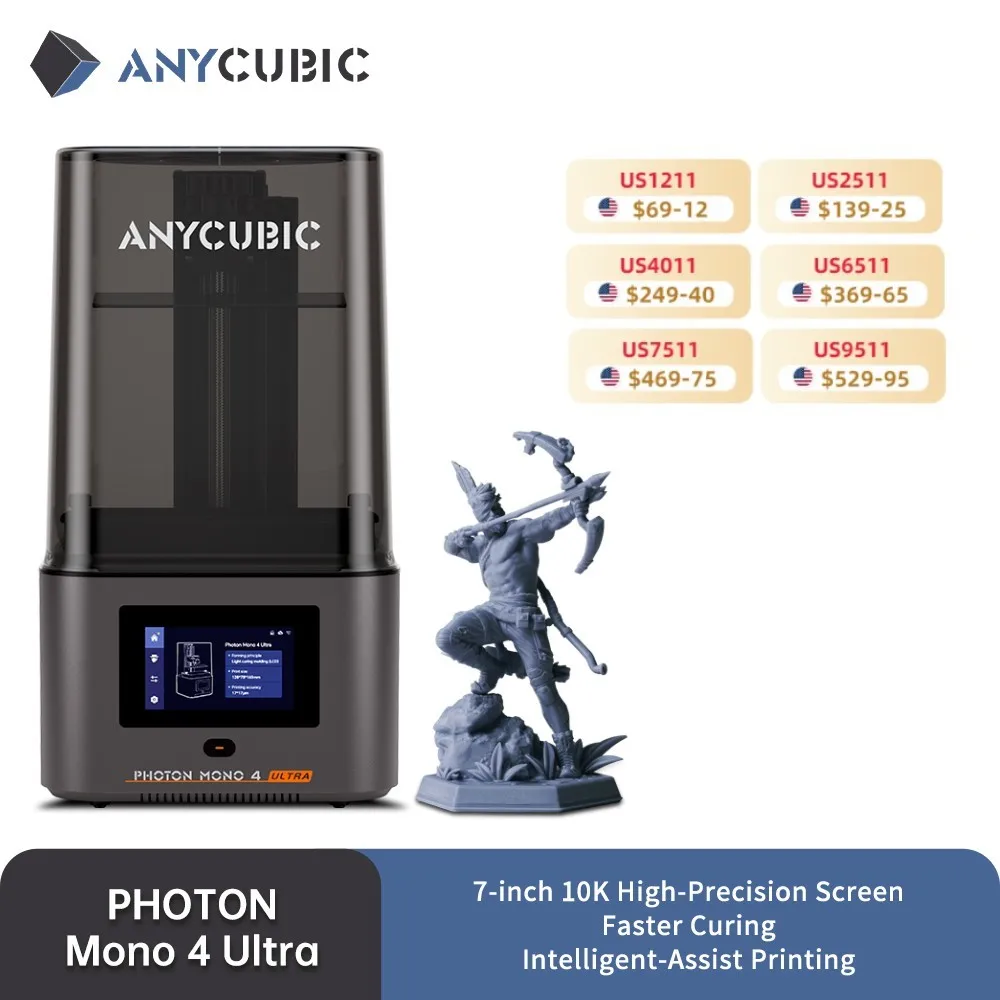

ANYCUBIC Photon Mono 4 Ultra AE Version LCD 3D Printer 7″ 10K High Precision 3D Printing 2.2L Build Volume 236mm*231mm*430mm
$277.99 $378.99Price range: $277.99 through $378.99Select options This product has multiple variants. The options may be chosen on the product page -
Sale!


QCREATE 3D Printing Pen 1.75mm PLA ABS Filament LCD Display 8 Speeds 60 To 245 Degree Celsius Temperature Adjustable
$37.99 $61.99Price range: $37.99 through $61.99Select options This product has multiple variants. The options may be chosen on the product page -
Sale!


Sovol Zero 3D Printer, 1200mm/s High Speed CoreXY 3D Printer with Teddy Scan and Pressure Sensing
$488.99 $508.99Price range: $488.99 through $508.99Select options This product has multiple variants. The options may be chosen on the product page -
Sale!

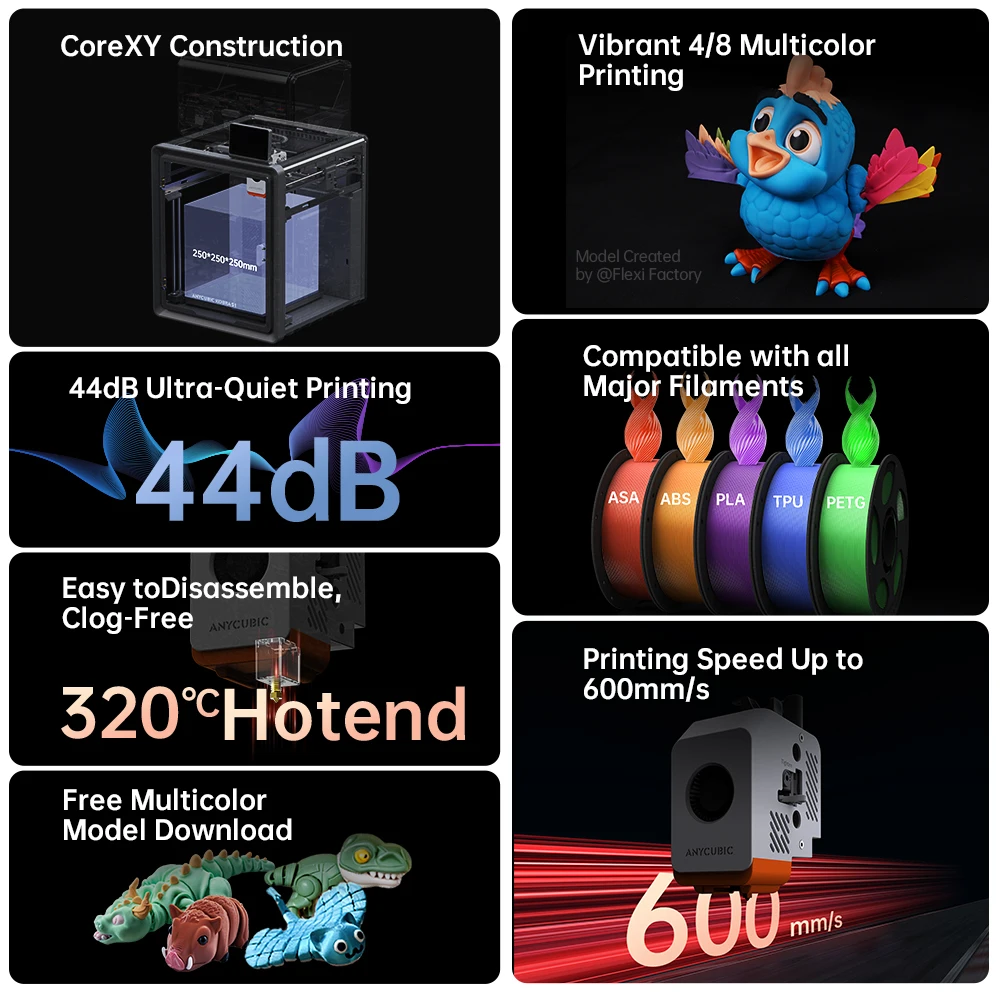
Anycubic Kobra S1 Combo AE Version Multi-Color 3D Printer Max Speed 600mm/s Core XY Stable Structure High Precision 3D Printer
$604.99 $766.99Price range: $604.99 through $766.99Select options This product has multiple variants. The options may be chosen on the product page
k***i –
good stuff!
B***r –
Top!!!!
z***r –
Works great, at a fraction of the price of comparable items somewhere else
Customer –
Dual monitors are good and good. Sometimes the monitor is not recognized when reconnecting after the host cable is removed
E***n –
Came very fast after purchase. 9 January purchase, 11 arrival I had great expectations for supporting 4K 60Hz. I connect 2 monitors to 4K 30Hz, 1080p. The resolution can be set to 2K 60Hz, 2K 60Hz. DP has not been tested because there is no cable. Pd, HDMI , HDMI, USB, LAN connected and works well for use. Just 4k a little bit sorry ..
L***a –
Beautiful product, durable and of great quality, I recommend. Arrived super fast.😀
h***a –
Good
S***o –
I was using iMac 27 2020, and I was using two Dell p2415q monitors with USB-C – DP cable, I needed a separate USB-C port, so I bought it. It works well. Two 4K monitors independently work on 30 MHz (which seems to be the limit of iMac). A free port has also become available. I ‘ve used different types of herbs, but if I had already bought them, there would have been no waste. It is a good product.
M***t –
This is a great hub. It works well with my macbook pro 2023. I had an initial setup problem but it turned out it was my own cable that needed replacing. No issue with the hub at all. The customer service was superb. Very knowledgeable and quickly solved the problem Delivery was very quick. Thank you
D***g –
great
F***r –
Good design product, immediately operational with a laptop with 2 large attached screens and a good resolution. I recommend 🙂
L***z –
It works as promised, i have only tested 2 monitors at the same time trough the docking station, and im glad to report that it is retro-compatible with usb 3. 1 type c port, of course you will be limited to 5gb speed, but i can use two hdmi streams at the same time for office/multimedia usage, not gaming of course
F***a –
It is not compatible with MAC for screen expansion, the product arrived very quickly and its quality is very good.
E***a –
Very good, works well
Customer –
Overall, I am satisfied. Since I only use one FHD monitor, the 120hz is well supported, the USB ports all work properly, and the PD charging works well. However, there are a few shortcomings. 1. Monitor audio output not possible If you connect it to the monitor with a DP cable, the built-in speaker output of the monitor is not possible. You need to use the audio jack of the laptop itself or the docking station. 2. Forced reboot when PD charging ends The PD charging connection works naturally, but when I unplug the cable or turn off the PD charging, the docking station forcefully reboots. During the process, the monitor connection was temporarily disconnected, the speakers were crackling, and the USB connection was also disconnected. I think I shouldn’t connect it all the time or charge it with PD because I feel insecure. I liked the fact that PD charging is possible, so I bought it, but this aspect is a bit disappointing.
7***r –
Works as described and adds great connections to my macbook air.
s***r –
Docking Station arrived on time I am now curious about how it works… Anyway, thank you for the quick delivery…..
Customer –
The device arrived well-packaged. The installation was not difficult. The device’s features are of medium capacity but for me and my use, it serves well.
Customer –
It feels of good quality, I haven’t tried it yet. It doesn’t come with a charger, so I’m waiting for one.
J***l –
This hub has helped me with adding a 3rd monitor and plugging in all of my external devices. I strongly recommend.
f***r –
Everything very good
M***o –
Very good, all ports working, well packaged, fast shipping, works on MAC.
C***s –
At the moment it works spectacularly, the displayport works up to 144 Hz in 1440p (I have it capped at 120), the USB ports work well in general and the construction feels of good quality… I recommend buying a separate USB 4.0 cable because the one that comes with it is quite short. However, beyond that small detail, I fully approve it (I haven’t tested the power delivery because it’s not necessary for me, so I can’t comment on that).
a***r –
The port configuration is diverse, allowing simultaneous connection of multiple devices such as monitors, external hard drives, and network cables, significantly increasing work efficiency. I am satisfied with both the data transfer speed and charging speed, and the heat generation is stable. The design is neat and perfect for placing on a desk.
E***o –
Muuto good
u***r –
The product is very useful, currently I have 4 ports occupied: HDMI, two USB, and one USB-C; it hasn’t overheated, fast in transferring heavy files. The only thing I would add are two 40 Gbps USB-C ports so that I can connect the monitor with a USB-C cable.
R***s –
Excellent product, works perfectly.
S***a –
Great product, the only detail is that the included cable is short. If you’re going to replace it with a longer one, there’s no point in testing a ‘cheap’ cable; it needs to be Thunderbolt 4.
v***o –
Everything is fine, includes a 30cm thunderbolt cable. Connect 2 24″ screens, one via HDMI and the other via DisplayPort without issues. Now I only have a connection to the laptop. Video and power are sent through the single cable.
s***v –
Working very good, high value for money:)
Y***a –
Advantages: Very good performance for the price. Even when connecting multiple devices, it works well without performance degradation. Disadvantage: The aluminum processing is a bit sharp. When only connecting Thunderbolt without external power supply, the power seems to be cut off, but one monitor doesn’t come on or there is screen flickering. But since it’s cheap, everything is forgiven. If you can’t accept even a small defect, then spend 200,000 won to buy a better one.
A***o –
Works well, the cable included is not very flexible, ordered another one.
Customer –
Excellent product, very sturdy, works great with MacBook Pro M1
Customer –
Excellent